
Built into the platform. A partner school does not start using it automatically.
Attendance and excuses
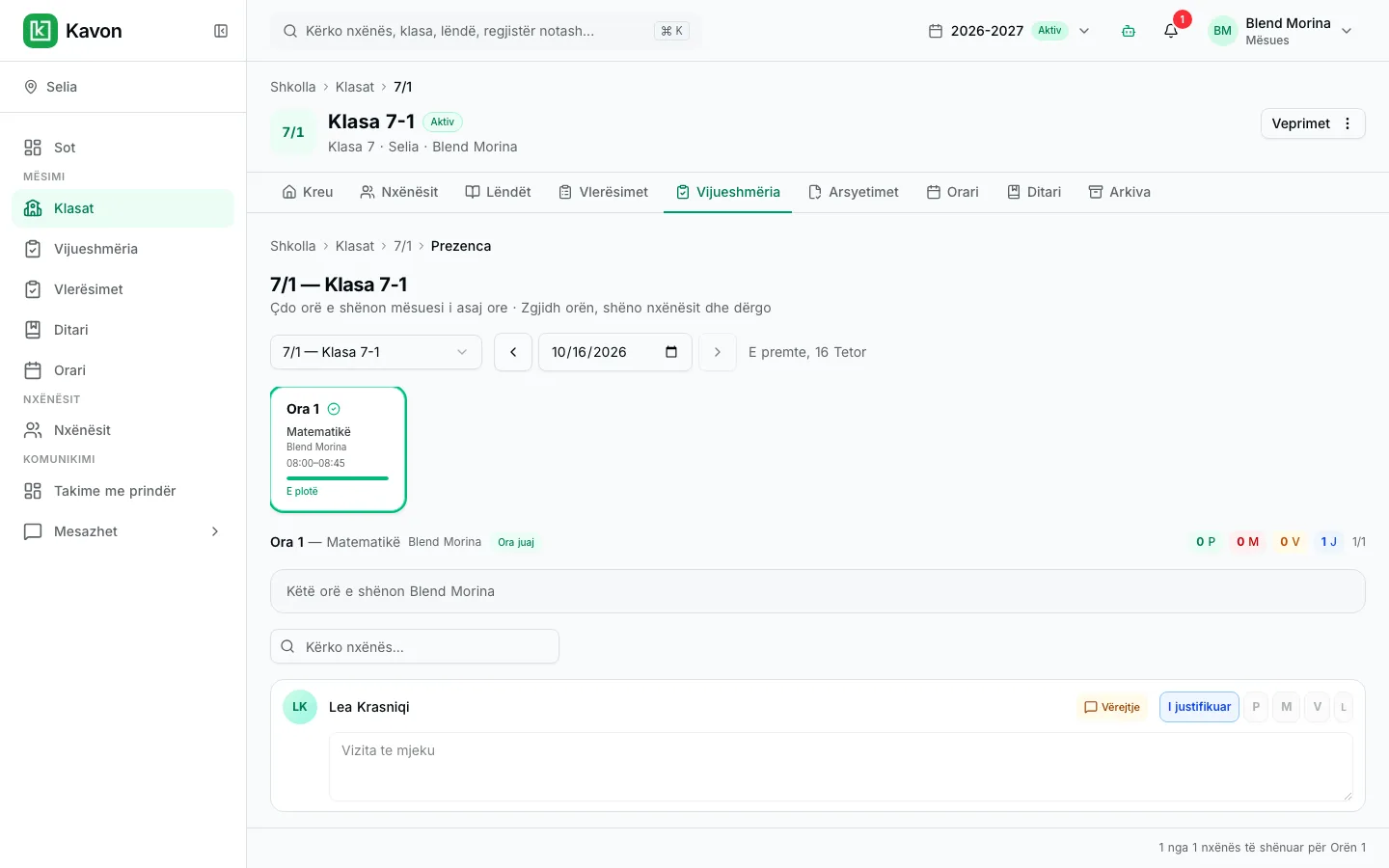
The roll is taken with the class. Excuses and non-teaching days stay next to the same register.
How it works in practice
01
Open today’s class
Teachers see the roster for the homeroom or subject period.
02
Mark the roll
Save statuses for the session. Updates are immediate for the school.
03
Review trends
Leadership and parents see attendance over the term, not only today’s list.
Who uses it
- Director: attendance across classes, including absences that need attention.
- Teacher: the roll for the homeroom or subject they are teaching.
- Student: their own attendance record.
- Parent: the linked child’s attendance, and a way to submit an excuse.
Key capabilities
- Fast roll call
- Mark present, absent, tardy, or excused for the class in seconds.
- School calendar aware
- Non-teaching days and official holidays are not treated as unexplained absences.
- Tied to homerooms and subjects
- Attendance follows the class the student is enrolled in.
- Parent visibility
- Families can see attendance in the parent portal.
- Leadership reports
- Directors can review attendance across classes without collecting paper lists.
- Part of the register
- Attendance sits next to the gradebook so the class record is complete.
Frequently asked questions
Related
- Parent portalA parent follows the linked child: published results, attendance, excuses, messages, and meetings.
- Messages and meetingsA parent writes to an eligible teacher and requests a meeting. Announcements and notifications stay in the same portal.
- Register and assessmentTeachers enter assessments for the class and subject. Published results are visible to the student, the parent, and school leadership.
For an interested school
Request a presentation. We will talk through this workflow with your school. There is no public price on this page.