
E ndërtuar në platformë. Shkolla partnere nuk e nis përdorimin vetvetiu.
Orari mësimor
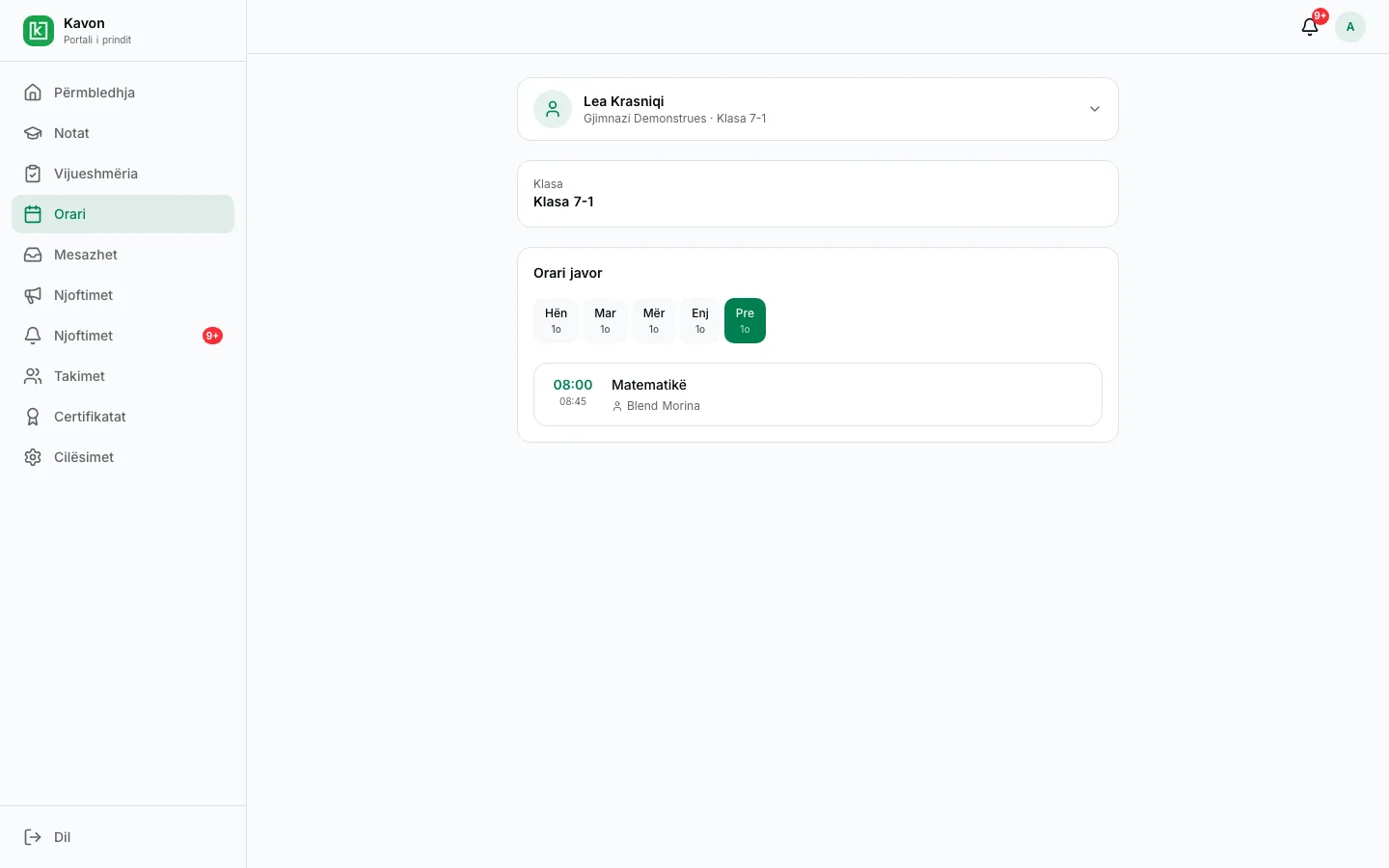
Orari javor ndërtohet mbi klasët, lëndët dhe mësimdhënësit e shkollës, me kontroll të përplasjeve dhe me festat e vitit.
Si punon në praktikë
01
Përcaktoni orët dhe klasat
Nisni nga viti, klasat dhe lëndët që tashmë janë në shkollë.
02
Vendosni javën
Caktoni mësuesit dhe orët. Zgjidhni përplasjet që tregon ndërtuesi.
03
Publikoni
Mësuesit, nxënësit dhe prindërit shohin orarin aktual.
Kush e përdor
- Drejtori: orarin e shkollës dhe kalendarin e vitit shkollor.
- Mësimdhënësi: javën e vet.
- Nxënësi: javën e vet.
- Prindi: orarin e fëmijës së lidhur.
Çfarë bën
- Ndërtimi i orarit
- Vendosni lëndët, klasat dhe mësuesit në rrjetën javore.
- Përplasjet
- Shihen përplasjet e mësuesit ose të klasës para se orari të publikohet.
- Festat zyrtare
- I vendosni te viti, që ato data të mos jenë ditë mësimi.
- Pamja e mësuesit dhe e nxënësit
- Secili sheh javën e vet. Prindi mund ta shohë orarin e fëmijës.
- I njëjti strukturim i shkollës
- Orari përdor të njëjtat klasa, kujdestari dhe lëndë si pjesa tjetër e shkollës.
- Ndryshime gjatë vitit
- Ndryshoni orët kur duhet, pa e ndërtuar vitin nga e para.
Pyetje të shpeshta
Të lidhura
- Portali i prinditPrindi ndjek fëmijën e lidhur: rezultatet e publikuara, vijueshmërinë, arsyetimet, mesazhet dhe takimet.
- Mesazhet dhe takimetPrindi i shkruan mësimdhënësit të pranueshëm dhe kërkon takim. Shpalljet dhe njoftimet qëndrojnë në të njëjtin portal.
- Regjistri dhe vlerësimiMësimdhënësi fut vlerësimet te klasa dhe lënda. Rezultatet e publikuara i shohin nxënësi, prindi dhe drejtoria.
Për një shkollë të interesuar
Kërkoni një prezantim. E shohim këtë punë bashkë me shkollën tuaj. Në këtë faqe nuk ka çmim publik.